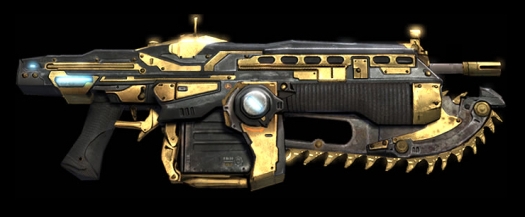
Wow, that was quick. Only hours after Justin Korthof (Community Manager for Gears of War 2) let us know that they were experiencing issues with redemption codes for the Golden Lancer, we get two follow up emails letting us know that the issue is fixed, and how to re-redeem your Golden Lancer if your code already failed.
If you haven't downloaded yet, you'll be able to redeem your code now, and should not see any issues.
There are two separate solutions for gamers, dependent on whether or not you're still using the original dashboard, or if you're one of those lucky sonsaguns that got early access to the New Xbox Experience. We have both solutions for you after the jump.
Fix for original Dashboard users
1. Launch the Xbox Dashboard
2. Sign into your Profile
3. Go to the Marketplace blade
4. Select “Account Management”
5. Select “Download History”
6. Under the “Games” section, select “Gears of War 2 Gold-Plated Lancer Assault Rifle”
7. When the blade appears, select “Download Again”
8. Wait until the “download complete” confirmation toast appears
Fix for New Xbox Experience users
1. Launch the Xbox 360 Dashboard
2. Sign into your Profile
3. Go to the My Xbox channel
4. Select your profile (second selection) and press A
5. Select “Account Management”
6. Select “Download History”
7. Under the “Games” section, select “Gears of War 2 Gold-Plated Lancer Assault Rifle”
8. When the blade appears, select “Download Again”
9. Wait until the “download complete” confirmation toast appears
 Posted By: Devon Marshall
Saturday, November 15th 2008 at 10:55AM
You can also
click
here to view all posts by this author...